

How to Convert 3GP Video to MP4 with 3GP to MP4 Converter
Have you wanting to convert 3GP to MP4 format? Do you know Tipard MP4 Video Converter software? And what is 3GP format?
The 3GP file format stores video streams as MPEG-4 Part 2 or H.263 or MPEG-4 Part 10 (AVC/H.264), and audio streams as AMR-NB, AMR-WB, AMR-WB+, AAC-LC, HE-AAC v1 or Enhanced aacPlus (HE-AAC v2). 3GPP allowed use of AMR and H.263 codecs in the ISO base media file format (MPEG-4 Part 12), because 3GPP specified the usage of the Sample Entry and template fields in the ISO base media file format as well as defining new boxes to which codecs refer. These extensions were registered by the registration authority for code-points in ISO base media file format ("MP4 Family" files). For the storage of MPEG-4 media specific information in 3GP files, the 3GP specification refers to MP4 and the AVC file format, which are also based on the ISO base media file format. The MP4 and the AVC file format specifications described usage of MPEG-4 content in the ISO base media file format.
Tipard MP4 Video Converter software can help you solve the common questions on how to convert 3GP to MP4 format. (As Mac users, Tipard MP4 Video Converter software for Mac would be your best choice.) The converting software can support converting abundant video formats such as AVI, MKV, MOV, FLV, M4V, MPEG, etc to MP4. Besides, it can convert any download video to MP4. As well as, it can extract audios from any videos and convert them to general audios and lossless audios. With simple and friendly interface, this MP4 converting software makes 3GP to MP4 conversion fast and easy.
What do you need?
Software: Tipard 3GP to MP4 Video Converter
OS Support: Windows NT4/2000/2003/XP and Windows Vista, Windows 7
Hardware Requirements: 800MHz Intel or AMD CPU, or above; 512MB RAM or mor
Preparation: Download and install Tipard 3GP to MP4 Video Converter, and then double click the software to open the main interface.
There are simple ways to convert 3GP to MP4 format:
Guide Steps
Step 1: Load 3GP Video files
Step 2: Optimize 3GP files
Step 3: Choose output MP4 format
Step 4: Profile settings
Step 5: Start to convert 3GP to MP4
Load 3GP Video files
Load any 3GP Video file you want to convert by clicking Add File(s) or Add Folder from the dropdown list of Add File in the main interface.
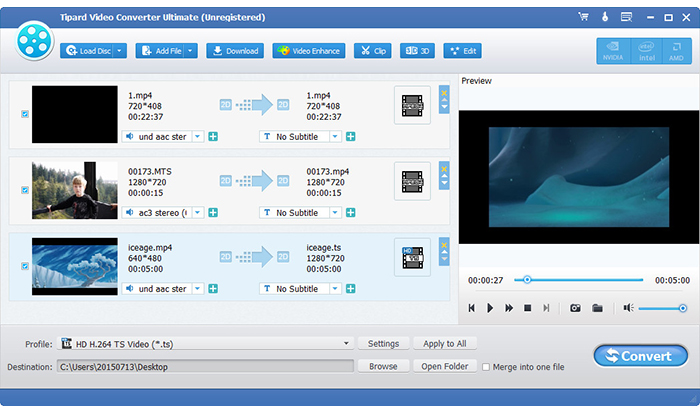
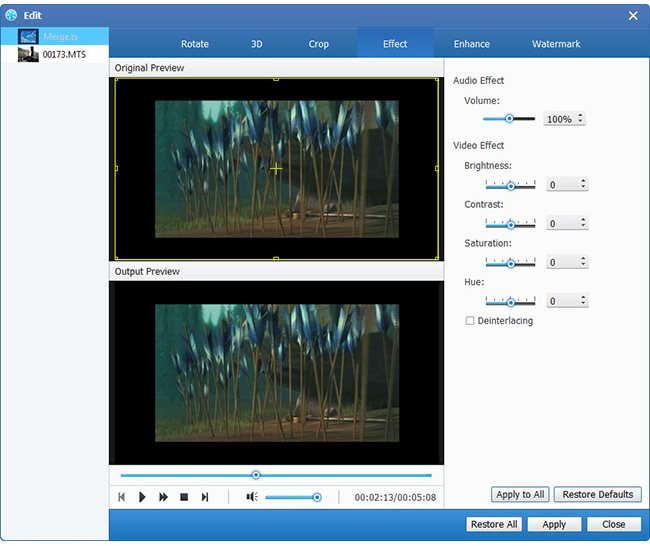
Optimize 3GP file
With Effect, Trim, Crop and Watermark video editing functions, you can easily edit any 3GP Video file to create personalized video.
Choose output MP4 format
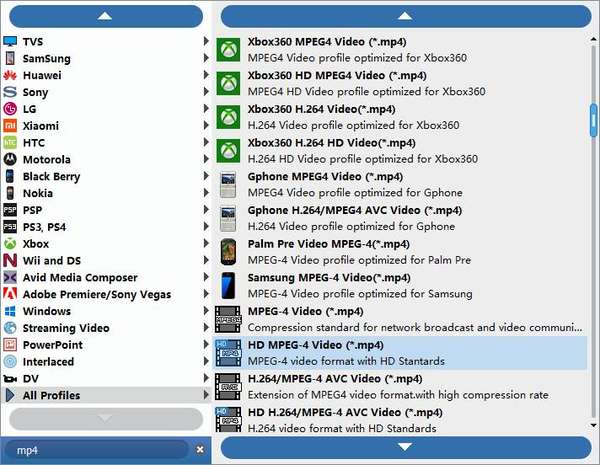
Based on the formats supported by your portable devices, you can select the output format for the movie from the Profile button and set the destination folder. Also you are allowed to select your preferred audio track and subtitle for your video.
Profile settings
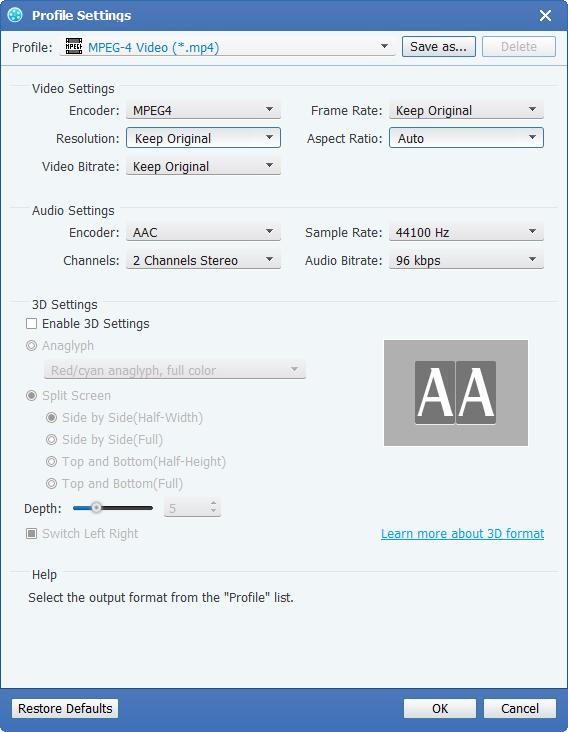
Detailed video and audio settings are provided by this MP4 Video Converter for you to adjust, such as video Encoder, Frame Rate, Resolution, Bitrate and audio Encoder, Channels, Sample Rate, etc. Even more, you can input your own parameters. The well-customized profile can be saved as "User-Defined" for your later use.
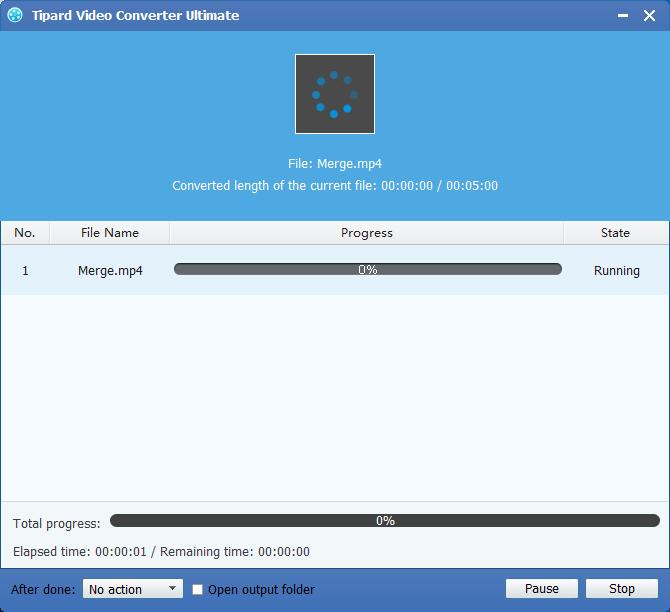
Start to convert 3GP to MP4
Click Convert button to start to convert 3GP video to MP4. Finally, you can enjoy your 3GP videos in your portable devices such as iPhone/iPod/iPad and Android phone.

 How To Upload A Video to YouTube With The Easiest Way
How to post a video on YouTube? With the YouTube Uploader, all your customized videos/mp3 music can be uploaded to YouTube for sharing with others.
 Review for the Best 10 DVD to MP4 Converter Programs
We compared the best DVD to MP4 converter software with side-by-side features. Spend a few minutes to grasp the best DVD to MP4 rippers here.
 Convert/Rip DVD to MKV Keeping Audios/Subtitles/Chapters
This guide shows users how to rip DVD to MKV so that you can keep DVD navigator and subtitle in MKV file.
 Best Video Cropper on How to Crop Video for PC/Mac and iPhone/Android
How to crop a video with Video Cropping Tool? This article would show the best Video Cropper and the detailed steps to crop a video for Windows/Mac and iOS/Android, totally solve your problem.
 Click here to join the discussion and share your comments
