
Tipard Zune Video Converter for Mac may come as a surprise for Zune users, since its multiple conversion formats. This Mac Zune Converter can convert all popular video formats such as MPG, MPEG, MPEG2, VOB, MP4, M4V, RM, RMVB, WMV, ASF, MKV, TS, MPV, AVI, 3GP, 3G2, FLV, MPV, MOD, TOD, HD TS, HD MTS, HD M2TS, HD MPG, HD MPEG etc videos to Zune, Zune 2 WMV and MP4, H.264/MPEG-4 AVC(.mp4) video Mac.
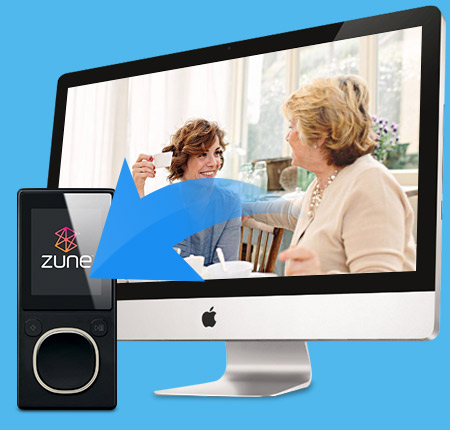
Convert videos to Zune on Mac
Convert videos to Zune on Mac
Convert all popular video formats such as MPG, MPEG, MPEG2, VOB, MP4, M4V, RM, RMVB, WMV, ASF, MKV, TS, MPV, AVI, 3GP, 3G2, FLV, MPV, MOD, TOD, HD TS, HD MTS, HD M2TS, HD MPG, HD MPEG etc videos to Zune, Zune 2 WMV and MP4, H.264/MPEG-4 AVC(.mp4) video Mac.
Convert audio to audio
Convert audio to audio or extract audio from video to Zune MP3, WMA and AAC, M4A audio formats.
You can own different styles of videos made by yourself
Upgrade video effect
Adjust the video Brightness, Contrast, Saturation to better your videos with special effects, even check Deinterlacing to upgrade your video effect by converting interlaced video into a non-interlaced form
Trim your video clips
Clip any segment of your video by setting the exact start and end time or just drag the slide bar.
Crop the play region of video
Adjust the playing region of the video to fit for your player and your favor.
Merge several chapters of video into one file
With several files merged into one file for output, you'll enjoy a single long movie with a single click.
Cool watermarks provided for Mac users
You can add pictures or texts for your video to your own preference.

Adjust settings to help you get the customized video
Support outputting different formats at one time
Tipard Zune Video Converter for Mac supports to have one time conversion and get several formats at the same time to save your time effectively.
Personalized profile
In Tipard Zune Video Converter for Mac, classified and powerful profile is sorted by General Video, General Audio, Zune, Lossless Audio, etc and it would be convenient to you to select what you need, and any customized profile or settings can be saved as user-defined profile.
Personalize video settings
In the Mac Zune Video Converter, the amazing Settings function allows you customize your output video for high compatible with your players.

It can accomplish the converting task fastest and conveniently.
Preview and snapshot
Whether you are adjusting video effect, trimming video, cropping video, or something else, the Zune Video Converter for Mac allows you to preview the original video and output video effect simultaneously. And you are available to capture favorite picture when you preview.
Fastest Conversion Speed
Provide the fastest conversion speed, completely support dual core CPU.
Easy to use
It is very easy to use Tipard Zune Video Converter for Mac. With just a few pinches or taps of your finger to finish the process of converting video for Zune Mac.

Processor: Intel® processor and Apple M1/M2 chip
OS Supported: Mac OS X 10.7 or above (highly support macOS Sonoma)
Hardware Requirements: 512MB RAM, Super VGA (800×600) resolution, 16-bit graphics card or higher
| Support Input File Formats | |
| Video | MPG, MPEG, MPEG 2, VOB, DAT, MP4, M4V, TS, RM, RMVB, WMV, ASF, MKV, AVI, 3GP, 3G2, FLV, SWF, MPV, MOD, TOD, QT, MOV, DV, DIF, MJPG, MJPEG |
| Audio | MP3, MP2, AAC, AC3, WAV, WMA, M4A, RM, RAM, OGG, AU, AIF, AIFF, APE, FLAC, NUT |
| HD Video | HD TS, HD MTS, HD M2TS, HD MPG, HD MPEG,HD MP4, HD WMV, QuickTime HD MOV, HD H.264, HD RM |
| Support Output File Formats | |
| Video | MPEG-4, H.264/MPEG-4 AVC, WMV |
| Audio | AAC, MP3, M4A, WMA |
| Image | JPEG, GIF, BMP |
| Support Devices | |
Zune, Zune 2 |
|




Home | About | Privacy Policy | Terms of Use | Affiliate | Support | Contact Us
Copyright © 2024 Tipard Studio. All Rights Reserved.