


About | Privacy Policy | Terms of Use | Support | Contact Us
Copyright © 2026 Tipard Studio. All Rights Reserved.

Windows

Rip your favorite Blu-ray/DVD movies or videos to popular formats

Powerful software to play Blu-ray/DVD videos and audio

Create Blu-ray disc/folder/ISO file with your own video

Backup/Copy your favorite Blu-ray to disc/folder/iso files
Mac

Rip your favorite Blu-ray/DVD movies or videos to popular formats on Mac

Powerful software to play Blu-ray and popular video formats on Mac
Windows

Rip DVD to any popular video format quickly of full quality

Create DVD from videos and burn video to DVD/Blu-ray freely

Copy DVD to DVD disc/folder/ISO files in a 1:1 ratio
Mac

Rip DVD to any popular video format quickly of full quality on Mac

Burn or author a DVD from videos with subtitles and chapters on Mac

Copy DVD to DVD disc/folder/ISO files in a 1:1 ratio on Mac
Windows

Rip DVD, convert 4K video, edit, and upscale videos to 5K/8K

Repair broken videos with high accuracy and support many formats

Convert any video to MP3, MP4, MOV, WAV, and other 350 formats

Upscale resolution, optimize brightness and remove video noise

The easiest tool to capture screen, game, audio, etc. with high quality

Convert any 2D video to 3D video and convert 3D to 2D video

Convert 4K video to 4K/1080P and common videos

Convert TS video to various popular video/audio formats
Mac

Rip DVD, convert 4K video, edit, and upscale videos to 5K/8K on Mac

Repair broken videos with high accuracy and support many formats on Mac

Convert any video to MP3, MP4, MOV, WAV, and other 350 formats on Mac

Upscale resolution, optimize brightness and remove video noise on Mac

The easiest tool to capture screen, game, audio, etc. with high quality on Mac

Convert any 2D video to 3D video and convert 3D to 2D video on Mac

Convert 4K video to 4K/1080P and common videos on Mac

Convert TS video to various popular video/audio formats on Mac
Desktop

Rip and convert DVDs to MP3 and support other audio formats

Reset Windows Admin and Standard user account password in seconds

Accurately Convert any PDF file to Word with OCR

Convert PDF to Word, Excel, HTML and Image with OCR
Online

Easily remove watermarks from many image file formats free online
Tipard PDF to Word Converter is a type of stunning PDF converter and Word creator software which is able to change PDF files to Microsoft Word or RTF documents with high accuracy and at ultra-fast speed. The optional page range enables you to define any single page or page ranges to convert. With multiple languages for output selection, this conversion caters to all different areas' needs.
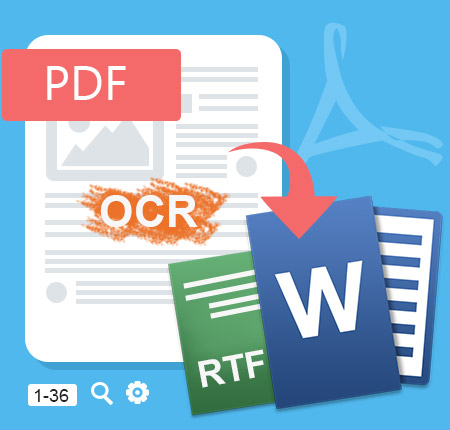
It's powerful PDF Converter which is specially designed to turn PDF file into more compatible file formats: Word (.doc, .docx) and RTF with OCR tech. Also with its help, reading PDF files becomes more convenient by this PDF reader. Feel free to download it and have a trial.
PDF is the format with highest stability and accuracy among all text file formats to save. However, every coin has two sides. The shortage of PDF file is that it's not easy to edit and needs more professional PDF readers to preview. Also, some devices cannot support PDF reading, which caused much trouble to you with PDF file. But compared with PDF, Word is more applicable and easy to editable text format to use.
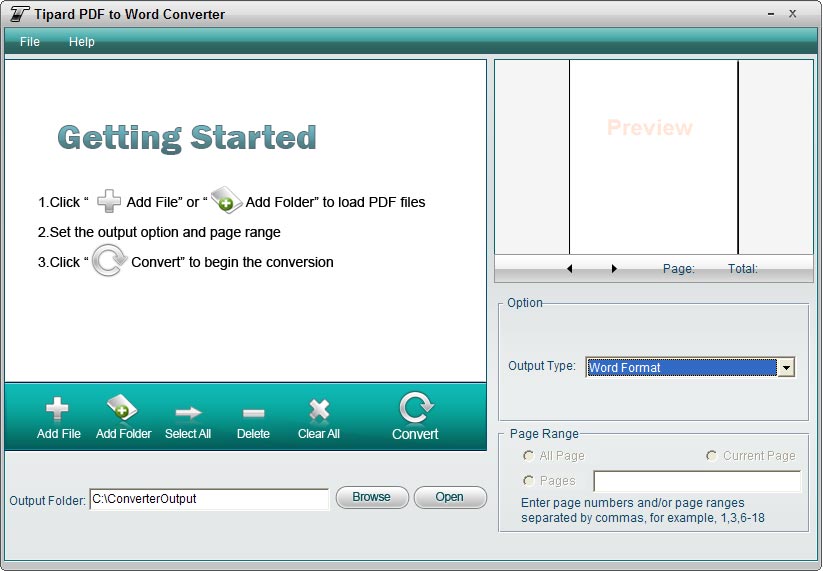
Fortunately, this PDF to Word Converter allows you to convert PDF file to Word or RTF format conveniently with the support of OCR on Windows 11/10/8/7/XP. It makes it easy to fulfill the conversion from any PDF to Word include Ms word 97-2003 (*.doc), Word 2007 (*.doc), Word 2010/2013 (*.doc) or .docx format as well as Rich Text Format (*.rtf). The configuration of OCR technology enables you to select conversion modes from Accuracy, Balance, speed and the accuracy mode extremely to improve the reorganization ratio to make the PDF to Word conversion more accurate and faster.
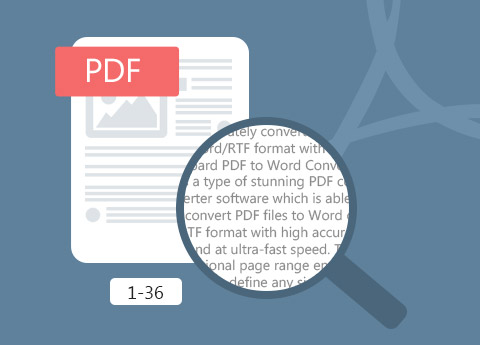
As the best Adobe Acrobat alternative, this PDF to Word Converter is designed with humanized options and functions. Before converting the PDF file, free choose range from All Page, Current Page and Page options. You can select the page range, input or insert the page numbers as you want. You can also open and convert many PDF files at one time. You could use the preview function of the converter to confirm the desired pages before conversion starts. This is pretty useful in circumstances of file with too many pages while you just need a small part.
As professional and easy-to-use PDF to Word converter, Tipard PDF to Word Converter is devoted to provide you high quality conversion effect at super-high speed. It is designed with humanized options for you to choose. And the operation is easy enough for all users. Besides, the interface is pretty delicate and has four language versions for you to choose: English, French, German and Japanese. Being so considerate and friendly, we believe we can give you the best user experience that you ever have!


Update automatically
Auto-update function makes sure that you always have the latest version. And it keeps lifetime free upgrade.

6X faster conversion speed
Convert batch PDF files to editable Microsoft office format - word (.doc, .docx) at one time with super fast speed.

User-friendly interface
The main interface of this PDF to Word conversion app is friendly and comfortable.

Easy to use
It has a simple user interface to guide you use easily. Everyone can operate it at the very first sight.

Sunny: I used free online PDF to Word converting websites to change PDF files before. But how disappointed for me, it's not convenient at all and has no powerful functions compared to this PDF to Word Converter. I can translate my PDF files and export to word format anytime with no limitation. I have to say I have made a good choice.

Jennifer: I'm used to using Word instead of PDF, and this PDF to word converter is none of complicated. This software really helped me a lot!

Mary: Very convenient converter software! It has saved me much trouble searching word format resources. The OCR tech indeed makes the conversion with no error and no limitation. I'm glad to download and try it. Great!