
Tipard iRiver Video Converter for Mac is powerful and multifunctional Mac iRiver Converter for Mac users to convert any video to iRiver WMV, AVI, MP4, H.264/MPEG-4 AVC(.mp4). And all the popular videos can be played on all types of iRiver players, such as iRiver X20, iRiver B20, iRiver Clix, iRiver SIREN DP350, and so on. In addition, Tipard Mac iRiver Video Converter can convert audio to audio or extract audio from video to MP3, OGG, WMA, WAV , M4A format for the music enjoyment.
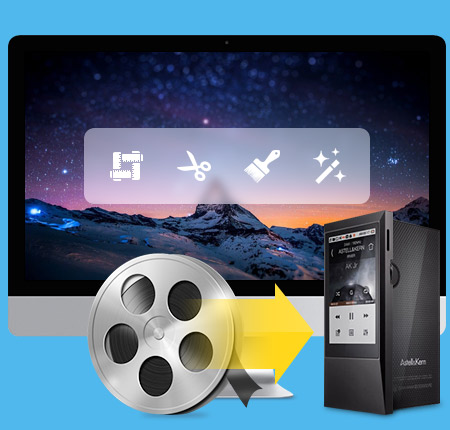
Convert video to iRiver WMV/AVI/MP4 on Mac
Convert video to iRiver WMV/AVI/MP4 on Mac
Tipard iRiver Video Converter for Mac can convert all popular video formats to iRiver WMV, AVI, MP4, H.264/MPEG-4 AVC(.mp4) on Mac.
Video to audio, audio to audio conversion
Tipard Mac iRiver Video Converter can convert audio to audio or extract audio from video to MP3, OGG, WMA, WAV , M4A format for the music enjoyment.
High compatible with all types of iRiver player
Support iRiver player, including iRiver X20, iRiver B20, iRiver Clix, iRiver SIREN DP350, etc
You can own different styles of videos made by yourself
Trim your video clips
Clip any segment of your video by setting the exact start and end time or just drag the slide bar.
Crop the play region of video
Adjust the playing region of the video to fit for your player and your favor.
Merge several chapters of video into one file
With several files merged into one file for output, you'll enjoy a single long movie with a single click.
Special and stylish videos created by adding watermark
You can add pictures or texts for your video according to your own preference.

Adjust settings to help you get the customized video
Add the ability to output one file to different formats at the same time
Tipard iRiver Video Converter for Mac can convert one video to different formats simultaneously, which helps to make the conversion much more convenient.
Personalized profile
In Tipard iRiver Video Converter for Mac, classified and powerful profile is sorted by devices and video formats, and it would be convenient to you to select what you need, and any customized profile or settings can be saved as user-defined profile.

It can accomplish the converting task fastest and conveniently.
Preview and snapshot
The Mac iRiver Video Converter allows you to preview the original video and output video effect simultaneously. And you are available to capture favorite picture when you preview.
Fastest Conversion Speed
Provide the fastest conversion speed, and completely support dual core CPU.
Easy to use
Tipard iRiver Video Converter for Mac owns the intuitive interface enables you to convert video to iRiver WMV/AVI/MP4 on Mac. The users range from beginners to experts.
Processor: Intel® processor and Apple M1/M2 chip
OS Supported: Mac OS X 10.7 or above (highly support macOS Sonoma)
Hardware Requirements: 512MB RAM, Super VGA (800×600) resolution, 16-bit graphics card or higher
Hint: PowerPC Processor is not supported, but if you need such an application for PowerPC, we can make one for you. Just contact us by email: marketing@tipard.com.
| Supported Interface Languages | |
| Language Types | English, French, German, Japanese |
| Support Input File Formats | |
| Video | MPG, MPEG, MPEG 2, VOB, DAT, MP4, M4V, TS, RM, RMVB, WMV, ASF, MKV, AVI, 3GP, 3G2, FLV, SWF, MPV, MOD, TOD, QT, MOV, DV, DIF |
| Audio | MP3, MP2, AAC, AC3, WAV, WMA, M4A, RM, RAM, OGG, AU, AIF, AIFF, APE, FLAC, NUT |
| HD Video | HD TS, HD MTS, HD M2TS, HD MPG, HD MPEG,HD MP4, HD WMV, QuickTime HD MOV, HD H.264, HD RM |
| Support Output File Formats | |
| Video | MPEG-4, H.264/MPEG-4 AVC,WMV, AVI |
| Audio | MP3, OGG, WMA |
| Snapshot Image | JPEG, GIF, BMP |
| Support Devices | |
iRiver X20, iRiver B20, iRiver Clix, iRiver SIREN DP350 |
|
Convert video/DVD to any popular video/audio format, and then you can play the video on portable device./video to wide selection of video/audio formats like MP4, MKV, and MP3.
Convert video and rip DVD disc/movie to video and audio formats like MP4, MOV, AVI, WMV, MKV, FLV, and more with amazing converting speed.




Home | About | Privacy Policy | Terms of Use | Affiliate | Support | Contact Us
Copyright © 2024 Tipard Studio. All Rights Reserved.