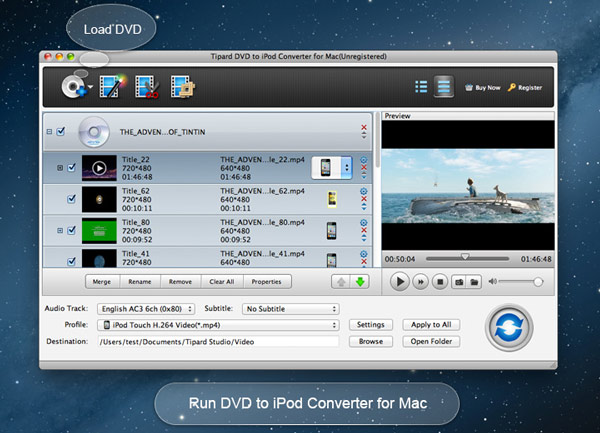
Tipard iPod Converter Suite for Mac is an excellent iPod Converter for Mac. It is composed by separate converter software: Tipard iPod Video Converter for Mac and Tipard DVD to iPod Converter for Mac. With the help of this converter suite, you are allowed to convert almost any DVD, any video and audio format to iPod supported formats on Mac.
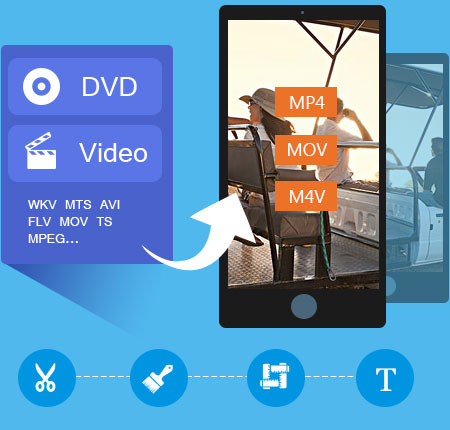
It's a versatile iPod Converter package for Mac that enables you to convert almost any DVD/video/audio from Mac to iPod at ultra-high speed. You could also edit the output video and choose the output format as you like.
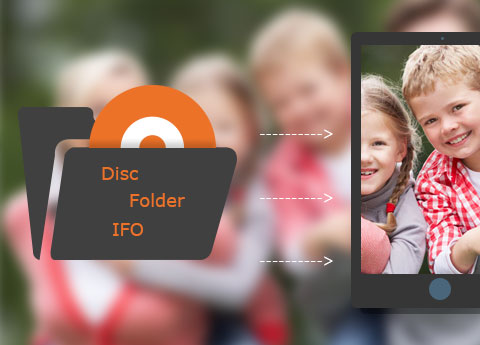
Tipard DVD to iPod Converter for Mac allows you to convert DVD to format that is supported by iPod, for example, MPEG-4, MOV, M4V etc. With the assistance of this iPod Converter, you are allowed to enjoy your DVD movies on iPod whenever and wherever you like. You could also share your favorite movie with your friends without the risk of losing discs. It supports all types of iPod devices, like iPod Touch, iPod Touch 4, iPod Classic, iPod Nano, iPod Shuffle. It's not convenient to watch videos when you are walking. Don't worry. This converter software also enables you to extract audios from video files and save them in the iPod supported formats, such as AAC, MP3, WAV, AIFF and M4A. By doing this, you could just listen to your favorite movie wherever you go.
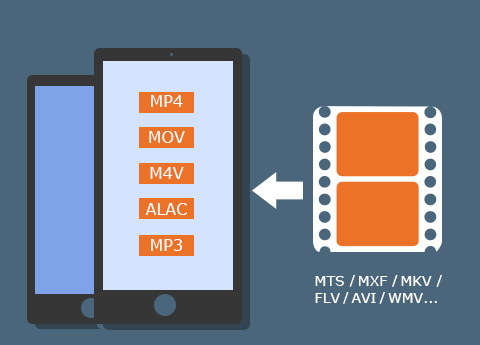
With the assistance of Tipard iPod Video Converter for Mac, you are capable of converting video on Mac to any format that is supported by iPod, such as MPEG-4, MOV, M4V etc. You are allowed to convert your favorite videos on Mac to iPod for your enjoyment. In addition, you could rip video files to iPod supported audio formats like AAC, MP3, WAV, AIFF and M4A and save them into iPod. If it's not convenient for you to watch videos, you can choose to listen. This iPod Converter supports all types of iPod devices, like iPod Touch, iPod Touch 4, iPod Classic, iPod Nano and iPod Shuffle.
Tipard iPod Converter Suite for Mac enables you to adjust the brightness, contrast and saturation settings. With the help of Crop function, black edges of the video will be cut off to fit for your screen as well as to enlarge your visual field. The converter suite also allows you to watermark your video by adding text or images whose position, angle, color, even transparency are adjustable. Under the Merge function, your favorite scenes could be put together as a long movie for you to play over. Meanwhile, you are able to preview the original video and output video quality in the same interface.

Tipard iPod Converter Suite for Mac could finish the conversion at super-high speed. You are allowed to choose audio tracks and subtitles according to your own wish. Don't think it too difficult. Just a few clicks will help you finish the conversion. Super-high conversion speed, comprehensive functions and user-friendly operation, all these factors will give you fantastic experience.


Preview and snapshot
You are capable of previewing any videos added or edited and snapshot fleeting picture during preview.

Auto-update
The auto-update function makes it possible for this converter to update to the latest version automatically.

Snapshot your favorite scene
With the help of Snapshot function, you can grab your favorite moment and save it as image file.

High convert speed
iPod Converter Suite for Mac could finish the conversion at super-high speed.

Ted:Tipard Mac iPod Converter Suite is the most convenient and comprehensive iPod Converter I have ever used. I had never imagined that an iPod Converter could adjust the output effects. That's pretty interesting!

Beil: This Mac iPod Converter is powerful and convenient. Thanks to it and now I can enjoy my DVD movies on iPod any time I want

Steven:You'll fall in love with this iPod Converter for Mac once you get it. It has amazing functions that will meet all your needs. Trust me and you'll never regret!


Home | About | Privacy Policy | Terms of Use | Affiliate | Support | Contact Us
Copyright © 2024 Tipard Studio. All Rights Reserved.