

How to Transfer iPad 2 Music to Your PC
How to transfer iPad music to yout PC with iPad music transfer? Read this article and find the answer.
Connect iPad 2 to PC
Connect your iPad 2 to PC via Apple dedicated data line, then you will see the following image.
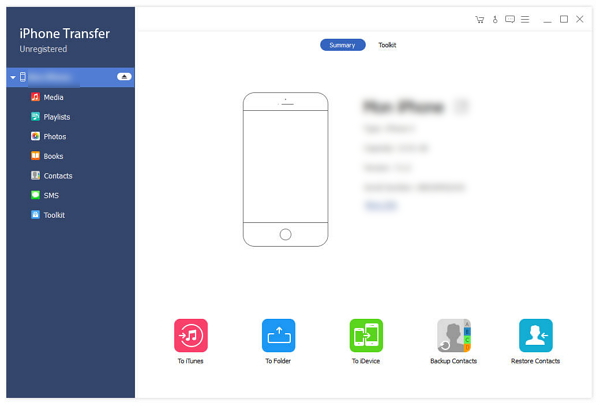
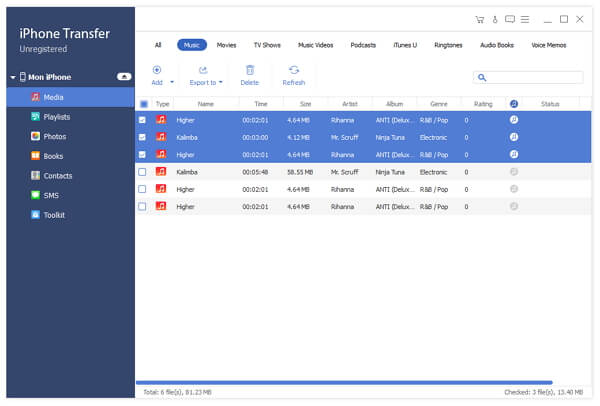
Choose any music file you want to transfer
On the left side of the main interface, you will see the display list, which will show your various iPad 2 files in different types. Click "Music" on the display list, then the right side of the interface will display all your movies in details as the following screenshot shows. In front of each listed video file, there is a check box, you can check all to choose all movie files or just one to choose, then the "Transfer" button will be activated instanly.
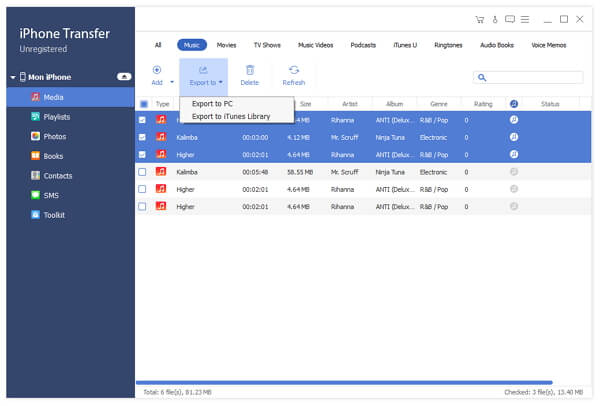
Start transferring files
Click "Transfer" button to start to copy any movie file you like to PC for backup. After transferring, the output folder will pop up automatically.


 Click here to join the discussion and share your comments
