

How to Convert FLV to AVI with Lossless Quality
FLV to AVI
Before you choose a professional and useful tool to rip FLV to AVI, it is necessary to be aware of what is FLV format and what is AVI format.
a. FLV format stands for FLASH VIDEO and its extension is ".flv". This video formats are used by many online video sites such as Google video, YouTube video and so on. FLV has become the mainstream of the current video file format.
b. AVI is the acronym for Audio Video Interleaved. It is a format combined with voice and video. The most digital audio players and portable devices frequently support AVI, which give it a wide range of applications. So you need to convert the FLV videos from these sites into AVI to make it possible to open, play and edit them on your portable devices, like iPad, iPhone, iPod and others.
Why choose FLV to AVI Converter software
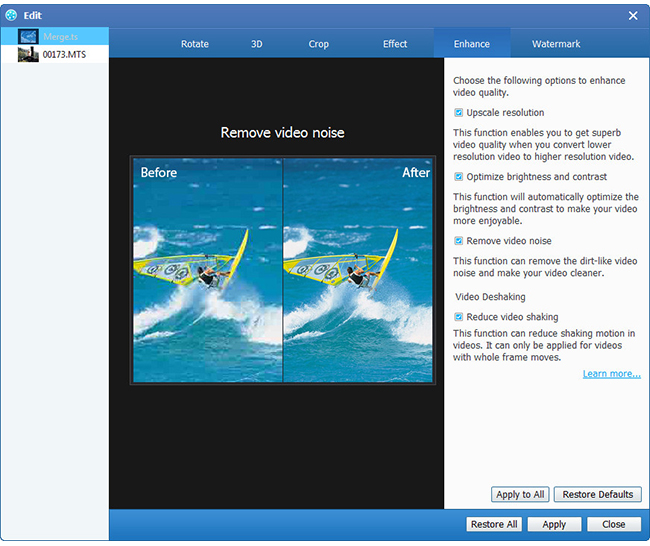
FLV to AVI Converter will help you a lot in converting FLV to AVI format. With this perfect software you can convert FLV to AVI easily and conveniently. Also you can use it to convert FLV to MP4, FLV to MP3, FLV to MOV, and FLV to WMV. What's more, this powerful FLV to AVI converting software can provide you professional editing ability such as crop, trim, add watermark, clip, rotate, enhance video quality and enable 3D settings.
Then this guide will show you how to convert FLV to AVI with the excellent FLV to AVI converting software.
Step 1: Download and install AVI to FLV Converter
Step 2: Add video to FLV converter
Step 3: Select AVI as your output format
Step 4: Edit Functions
Step 5: Start to convert FLV to AVI
Download and install FLV to AVI converter
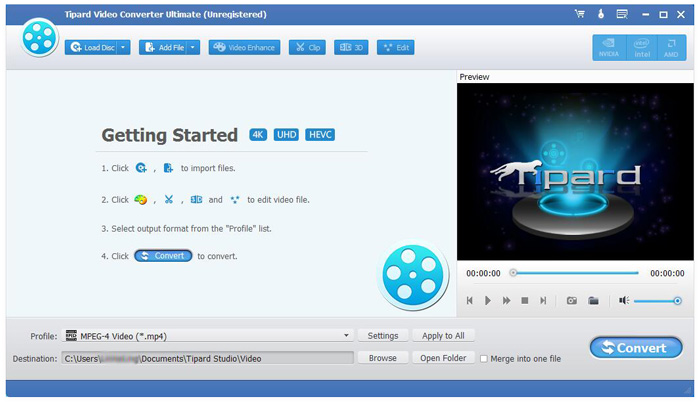
Just download and install AVI to FLV converting software online. After installing, you will see a friendly interface.
Add video to FLV converter
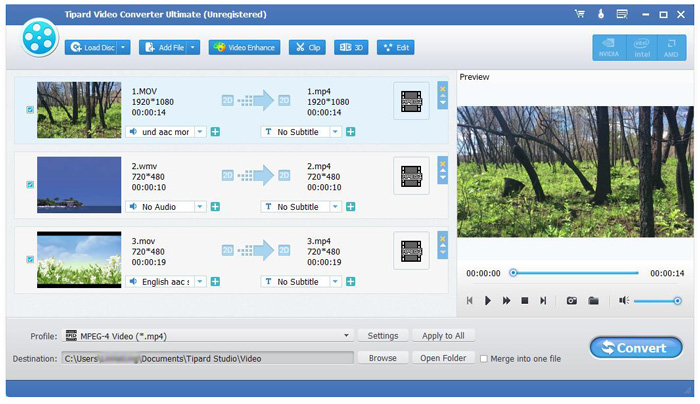
Download and install this FLV to AVI Converter software and open the main interface. Then click "File" button---"Add Video" button or click the "Add Video/Add Folder" button to add the files you want to convert. Loaded movies can be previewed in the right preview window.
Select AVI as your output format
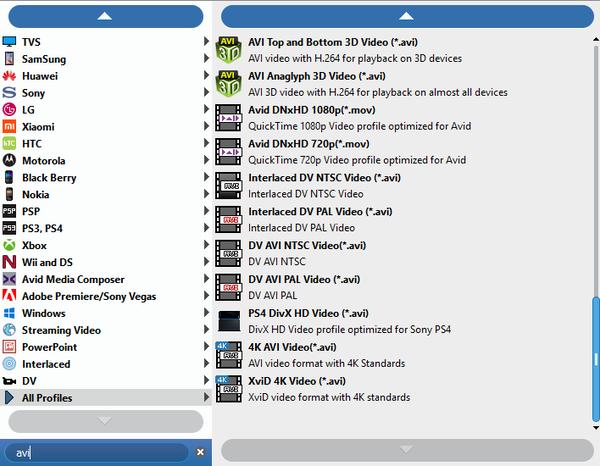
There is a "Profile" button on the bottom of the FLV to AVI Converter software. Click it and enter "AVI" to select the AVI format whatever you need. For example, you can select PSP 3000 AVI video to suite for your Sony PSP 3000.
Edit Functions
With this perfect software you can edit the videos as you like. It provides you various editing functions, including trimming your videos, clipping the videos, cropping the play region of videos, merging several chapters of video into one file and providing cool watermarks for you.
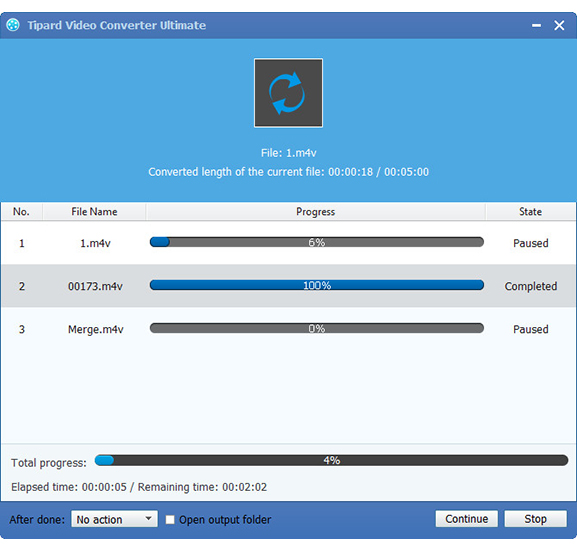
Start to convert FLV to AVI by clicking "Convert" button
If all settings are completed, you can press the "Convert" button to start the conversion of FLV to AVI. And the FLV to AVI conversion will be completed after a few minutes.

 Top 10 MP4 Converters Online Software You Should Know
This tutorial tells you top 10 online MP4 Converters, which help you convert videos to MP4 without downloading and installing.
 How to Free Convert AVI to MP4
Want to free convert AVI to MP4? This article lists best free online or professional AVI to MP4 Video Converter for you to choose from.
 Top 6 Methods to Convert FLV to MP4 on Mac Safely
Have no idea how to watch FLV videos on Mac? Get top 5 FLV to MP4 freeware to convert FLV to MP4 on Mac for free.
 4 Best AVI Players for Windows and Mac
In order to download AVI movies online, you have to use a suitable AVI player. Learn more detail about the best AVI Players for Mac/ Windows.
 Click here to join the discussion and share your comments
