
Tipard DVD to Audio Suite for Mac consists of two professional audio converter software: Tipard DVD Audio Ripper for Mac and Tipard All Music Converter for Mac. It is an affordable discount audio converter software. Powerful DVD Audio Ripper for Mac can convert DVD video to audio, like AAC, AC3, AIFF, AMR, AU, FLAC, MP3, M4A, MP2, OGG, WAV, WMA, etc. Tipard All Music Converter for Mac acts as video to audio converter and audio to audio converter. That's to say, it is easy to convert any video files to above audio formats, and convert among those audio formats in fast way.
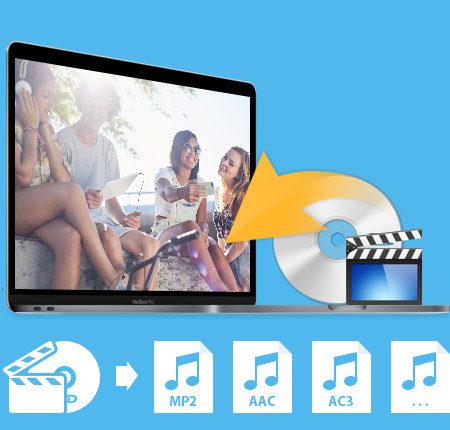
Rip DVD to audio on Mac
Rip audio from any DVD to AAC, AC3, AIFF, AMR, AU, FLAC, MP3, M4A, MP2, OGG, WAV, WMA, etc. with fastest conversion speed and excellent quality.
All Music Converter for Mac
Convert video to MP3 and other audio files, convert audio to audio among AAC, AC3, AIFF, AMR, AU, FLAC, MP3, M4A, MP2, OGG, WAV, WMA
Editing Functions
Trim, merge audio files and set audio effects.
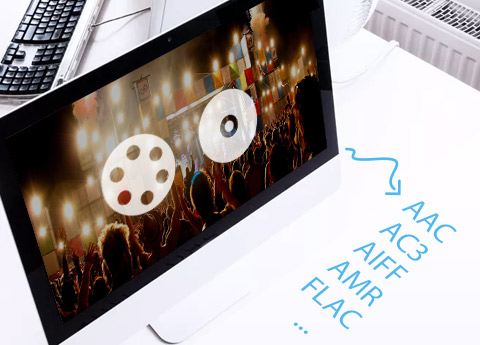
One conversion, several outputs at the same time
This Tipard DVD to Audio Suite for Mac enables you to get several formats at one time conversion.
Personalized profile
In Tipard DVD to Audio Suite for Mac, classified and powerful profile is sorted by All profiles, General Audio, Lossless Audio, and it would be convenient to you to select what you need, and any customized profile or settings can be saved as user-defined profile.
Preview and snapshot
Tipard DVD to Gphone Suite enables you to preview the source video and edited video effect. Also you can capture your favorite pictures from your DVD/videos and save them in JPG, GIF and BMP formats.
Merge several chapters into one file
Join the separated files into a single one for you to enjoy successively.
Set audio effect
Professional and detailed audio settings allows you to adjust audio encoder, bitrate, channels and sample rate.
Easy to use and fast conversion speed
It is very easy to use this DVD to Audio Suite for Mac. With just a few pinches or taps of your finger to finish the process of converting.

OS Supported: Windows 7, Windows 8, Windows 10, Windows 11
CPU: 800MHz Intel or AMD CPU, or above
RAM: 512MB RAM or more
| Support Input File Formats | |
| Support all commercial DVD (including DVD with the restriction of CSS, Region, RCE, Sony ARccOS) | |
| Video | MPG, MPEG, MPEG 2, VOB, DAT, MP4, M4V, TS, RM, RMVB, WMV, ASF, MKV, AVI, 3GP, 3G2, FLV, SWF, MPV, MOD, TOD, QT, MOV, DV, DIF, MJPG, MJPEG |
| Audio | MP3, MP2, AAC, AC3, WAV, WMA, M4A, RM, RAM, OGG, AU, AIF, AIFF, APE, FLAC, NUT |
| HD Video | HD TS, HD MTS, HD M2TS, HD MPG, HD MPEG,HD MP4, HD WMV, QuickTime HD MOV, HD H.264, HD RM |
| Support Output File Formats | |
| Audio | AAC, AC3, AIFF, AMR, AU, FLAC, MP3, M4A, MP2, OGG, WAV, WMA |
| Snapshot Image | JPEG, GIF, BMP |
| Support Devices | |
iPhone 15/iPhone 15 Plus/iPhone 15 Pro/iPhone 15 Pro Max, iPhone 14/iPhone 14 Plus/iPhone 14 Pro/iPhone 14 Pro Max, iPhone 13/iPhone 13 Pro/iPhone 13 Pro Max/iPhone 13 mini, iPhone 12/12 Pro/12 Pro Max/12 mini, iPhone 11/11 Pro/11 Pro Max, iPhone XS/XS Max, iPhone XR, iPhone X, iPhone 8, iPhone 8 Plus, iPhone 7, iPhone 7 Plus, iPhone 6s, iPhone 6s Plus, iPhone 6, iPhone 6 Plus, iPhone SE, iPhone 5s, iPhone 5c, iPhone 5, iPhone 4S, iPhone 4, iPhone |
|
Screencast-O-Matic Review and Best Alternatives
This post introduces the best Alternatives to Screencast-O-Matic for your computer, you can read this article.
Top 10 Video Capture Software in 2021
What is the best video capture software you should choose for your computer. Learn more detail from the article.
Top 5 Game Capture Software in 2021
Record video of games on your computer, here are the reviews of best game capture software that you should know in 2021.




Home | About | Privacy Policy | Terms of Use | Affiliate | Support | Contact Us
Copyright © 2024 Tipard Studio. All Rights Reserved.