

The Best Way to Convert DVD to MPEG Without Losing Quality
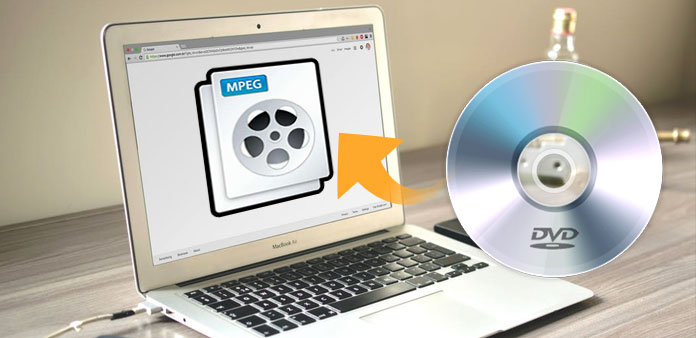
MPEG stands for Moving Picture Experts Group, is the name of a family of standards used for coding audio-visual information in a digital compressed format. The common-used standards are MPEG-1(.MPG), MPEG-2(.MPG) and MPEG-4(.MP4). The major advantage of MPEG compared to other video and audio coding formats is that MPEG files are much smaller for the same quality. Attracted by this feature, more people are willing to rip DVD to MPEG for backup. And Tipard DVD Ripper is what you need to convert DVD to MPEG easily.
Tipard DVD Ripper is one of the best DVDS to MPEG converters which enable you to convert DVD to MPEG. Also, it allows you to rip DVD to MP4, DVD to AVI, DVD to WMV, DVD to MPEG, DVD to HD video and more other video/audio formats. As a DVD to MPEG Converter, it is a easy to use rip tool with powerful function and excellent performance. This DVD to MPEG video converter offers some extensive video editing features. So you can deal with the video through extra editing functions like cropping video, trimming duration, setting effects and watermark and parameters, etc. Besides editing videos, this powerful DVD ripper also enables you to extract movie image from DVD to BMP, PNG and JPEG picture.
It is quite easy to convert DVD to MPEG with the steps below.
Load DVD file
Load any DVD disc or folder you want to convert by clicking "Load DVD Rom"/"Load DVD folder"/"Load IFO Files" option under the "File" pull-down menu, or just click the "DVD Plus" image button in the main interface.
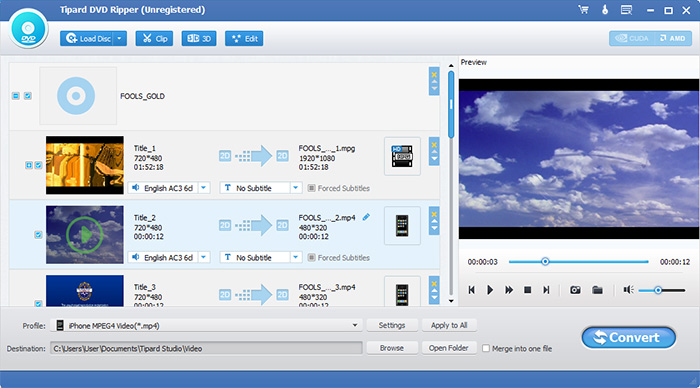
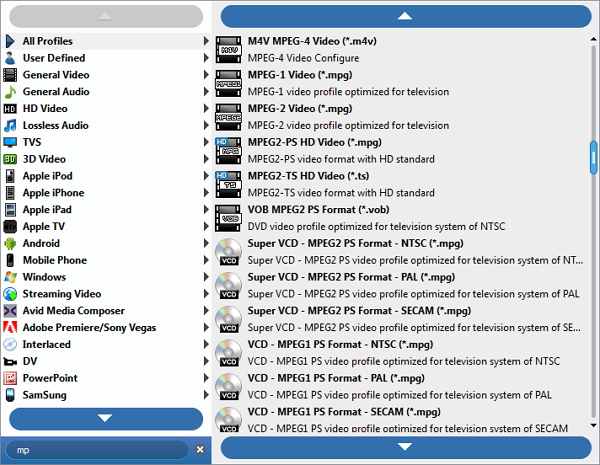
Choose output format
Based on the formats supported by your portable devices, you can select the output format for the movie from the "Profile" column and set the destination folder. Also you are allowed to select your preferred audio track and subtitle for your video.
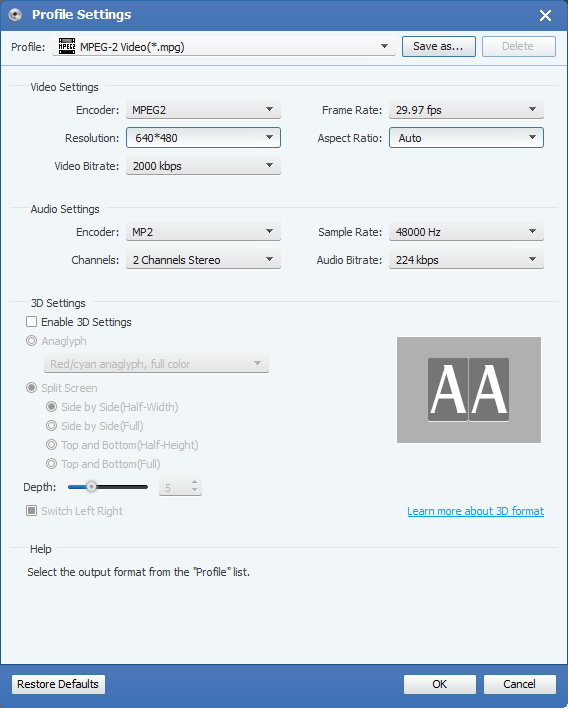
Adjust output settings
Detailed video and audio settings are provided by thisDVD Ripper for you to adjust, such as video Encoder, Frame Rate, Resolution, Bitrate and audio Encoder, Channels, Bitrate, Sample Rate, etc. Even more, you can input your own parameters. The well-customized profile can be saved as "User-Defined" for your later use.
Start conversion
Click "convert" image button to start to rip DVD to MPEG.


 How to Rip DVD to iTunes for Windows and Mac
In this article, we will show you the easiest way to import DVD movies to iTunes on both Windows and Mac.
 How to Burn MP4 to DVD on Mac and Windows
Want to create a DVD with your preferred MP4 video? Here we introduce top 10 MP4 to DVD converters to help you burn MP4 videos to DVD on Mac OS or Windows.
 How to Convert DVD for iPod
Tipard DVD to iPod converter is the best DVD iPod conversion app to convert DVD to iPod compatible MP4, MOV, M4V and M4A format with fast speed and high quality.
 DVD to iPod Converter - Convert DVD (VOB) to iPod on Mac
How to rip DVD (VOB) videos to iPod video (MP4/MOV/M4V) for playing on your iPod? DVD to iPod Video Converter can show you the way.
 Click here to join the discussion and share your comments
